7 Dollar IPTV is fully compatible with all Devices. Use the guide below to install on your device.
We recommend IPTV Smarters or Tivimate as IPTV players.
Step 1:
For Windows: Download the IPTV Smarters Pro application from this link and install it on your device.
For Mac: Download the IPTV Smarters Pro application from this link and install it on your device.
Step 2:
Log in to the IPTV Smarters Pro application using your subscription details provided by your service provider.
Great! You now have the IPTV Smarters Pro app installed.
When you launch the IPTV Smarters Pro app for the first time, you will see the Terms of Use. Scroll down to the bottom and click Accept.
You can add IPTV channels to IPTV Smarters using Xtreme Codes API.
STEP 1:
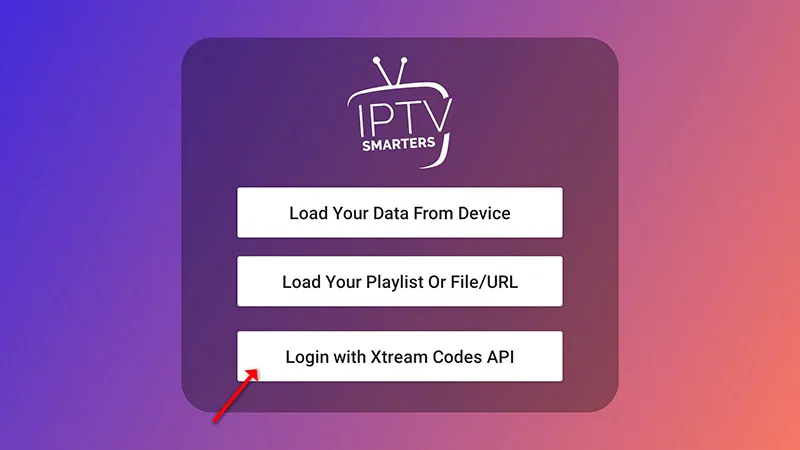
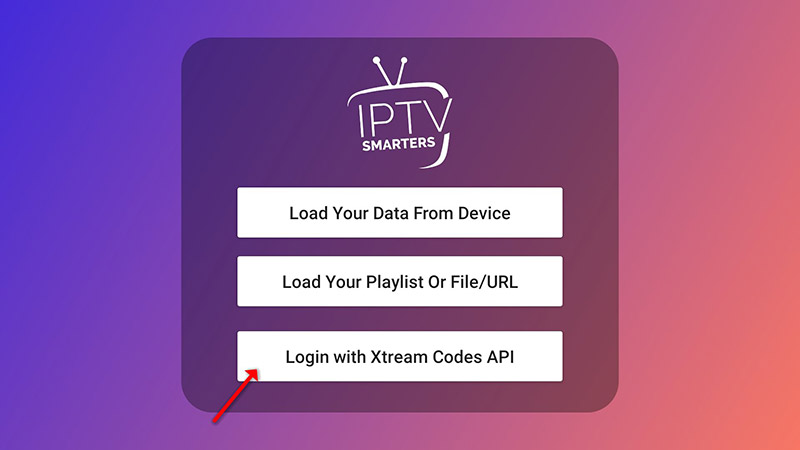
Open the app once downloaded and click on “Add user” then click on “Login with Xtream Codes API“.
Step 2:
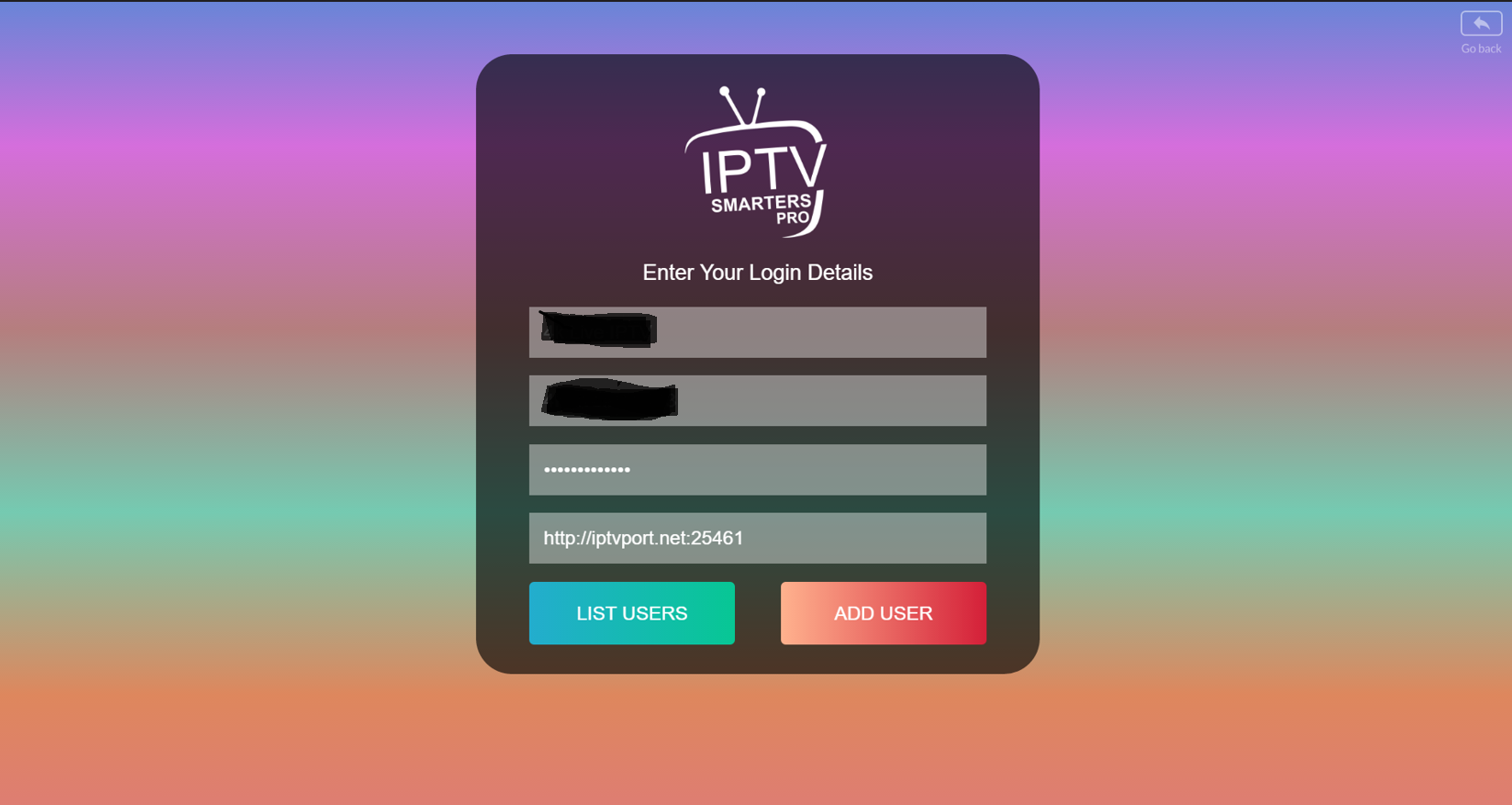
In this step, enter a name of your choice in the first box, such as "7 Dollar IPTV." In the second and third boxes, input the "Username" and "Password" along with the server URL that was sent to you via WhatsApp, Email, or Chat.
Now, click on "ADD USER" to move on to the next section.
Step 3
You are all set! Enjoy your subscription.
Step 1
For Android: Download the IPTV Smarters Pro application from this link and install it.
For iOS: Download the IPTV Smarters Pro application from this link and install it.
Great! You now have the IPTV Smarters app.
Step 2:
Open the app after installation and enter your login details by selecting "Login with Xtreme Codes ApI".
Step 3
In this step, type a name of your choice in the first box, such as "1 Dollar IPTV." In the second and third boxes, enter the "Username" and "Password" along with the server URL provided to you via WhatsApp, Email, or Chat.
Now, click on "ADD USER" to proceed to the next section.
Step 3
You are all set! Enjoy your subscription.
For your Samsung Smart TV:
Press the Smart Hub button on your remote.
Look for the Smarters Pro app and install it.
Sign in to the app using your subscription information, such as your Username, Password, and Portal URL.
For LG Smart TV
Press the Home button on your remote and navigate to the LG Content Store.
Find and install the Smarters Pro app.
Sign in to the app with your subscription details, including your Username, Password, and Portal URL.
Excellent! You've successfully installed the IPTV Smarters app.
When you open the IPTV Smarters app for the first time, you'll see the Terms of Use. Scroll down and click Accept.
You can add IPTV channels to IPTV Smarters in two ways:
Set up using Xtream Codes API.
Set up using a Playlist
Set up IPTV Smarters using the Xtream Codes API:
We suggest this method because it enables the Catchup feature and automatically loads the EPG, so you won't need to add an EPG URL manually.
STEP 1:
After downloading the app, open it and select "Add User." Then, choose "Login with Xtream Codes API."
STEP 2:
In this step, start by entering any name you like in the first box, such as "4K Live IPTV." In the second and third boxes, input the "Username," "Password," and the server URL that we provided to you through WhatsApp, Email, or Chat.
Now, click on "ADD USER" to move on to the next section.
STEP 3
Next, click on the “Live TV” icon, as shown in the image with a red arrow.
STEP 4
Now, click on the channel name, then double-click on the small screen to expand it to full screen as the final step.
Setup IPTV Smarters via Playlist
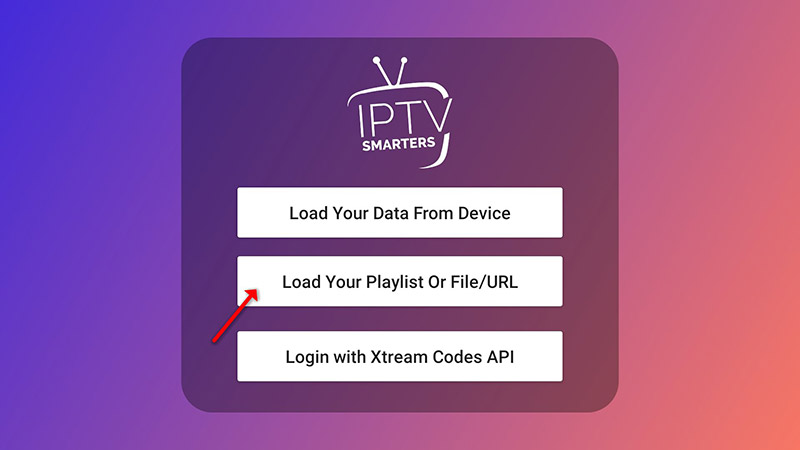
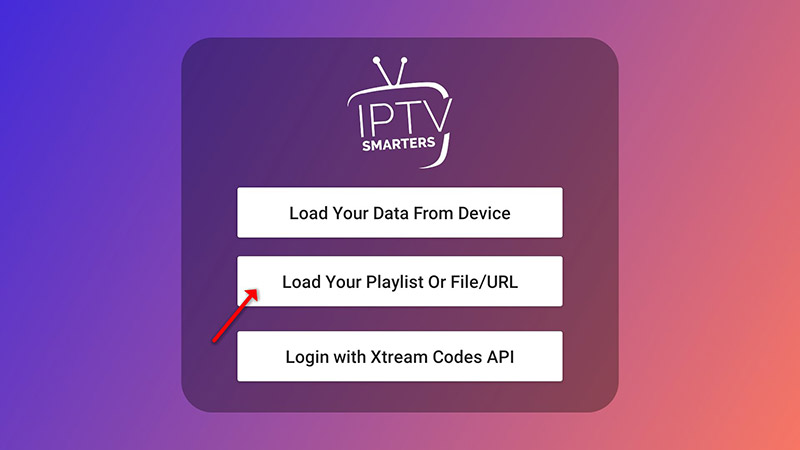
If you don’t have an Xtream Codes API, you can use an M3U URL and opt to Load Your Playlist or File URL.
STEP 1
Open the app once downloaded and click on “Add user” then click on “Login with Playlist“.
STEP 2
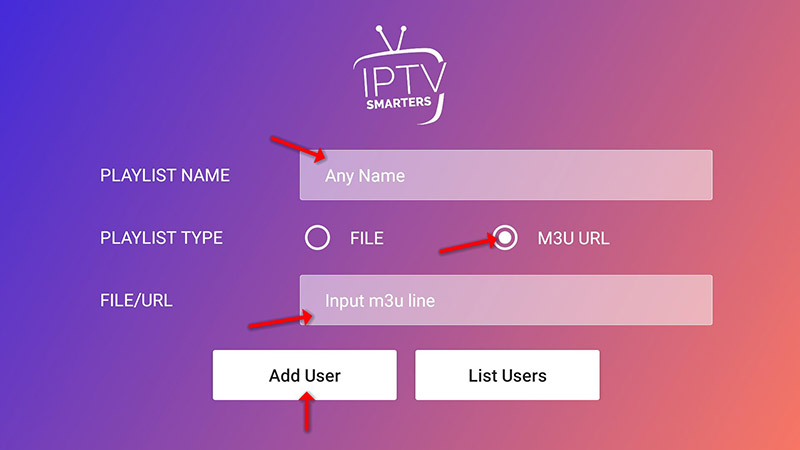
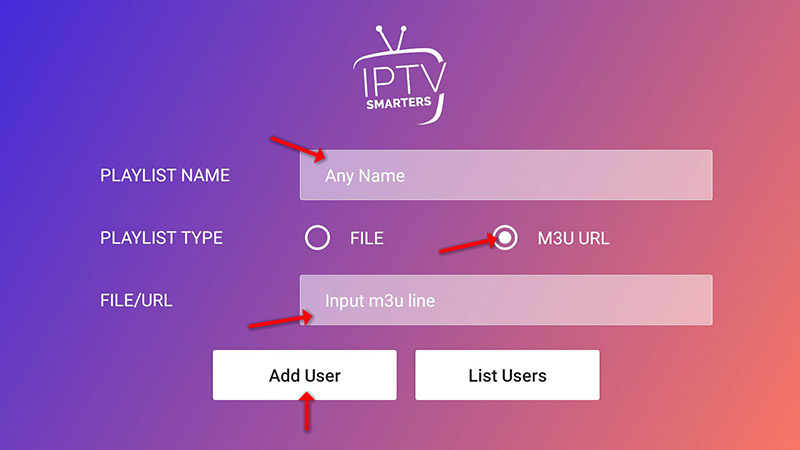
In this step, enter any name you prefer in the first box, such as “IPTV Playlist.” Choose “M3U URL” and input the M3U URL provided to you via WhatsApp, Email, or Chat.
STEP 3
Now click on the “Live TV” icon, select channels group then the channel you want to watch.
Install IPTV on your Amazon Fire TV Stick
Although IPTV Smarters is available on the Google Play Store for Android devices and the Apple App Store for iOS, it is not offered on the Amazon Store. As a result, you’ll need to sideload it if you want to install it on your FireStick.
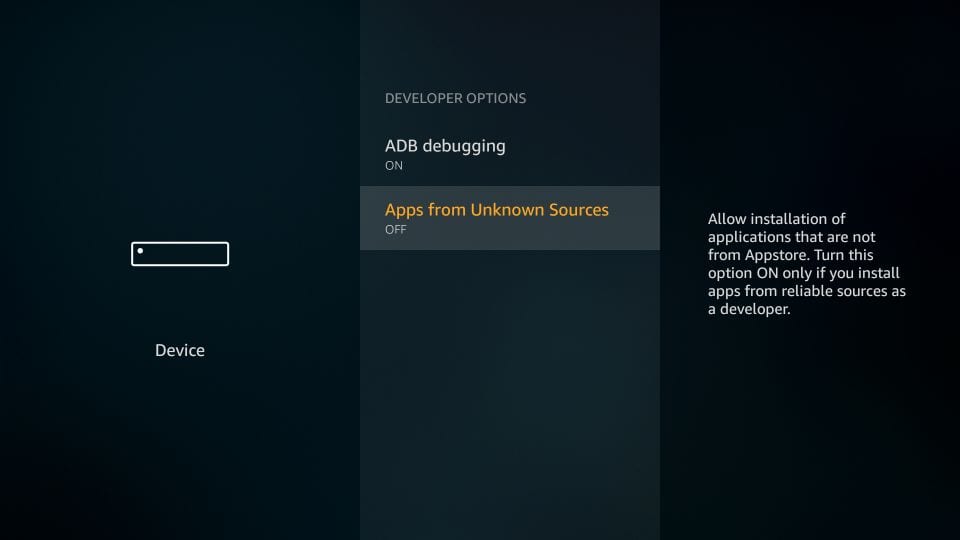
To do this, you must first enable the “Apps from Unknown Sources” option on your device. Let’s begin with that before moving on to the installation process:
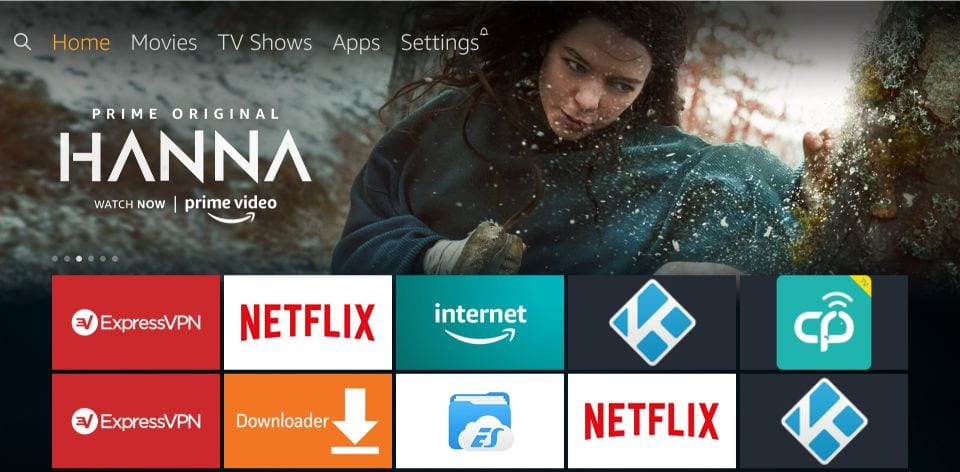
– From the FireStick home screen, navigate to the menu bar at the top
– Select Settings from the menu options
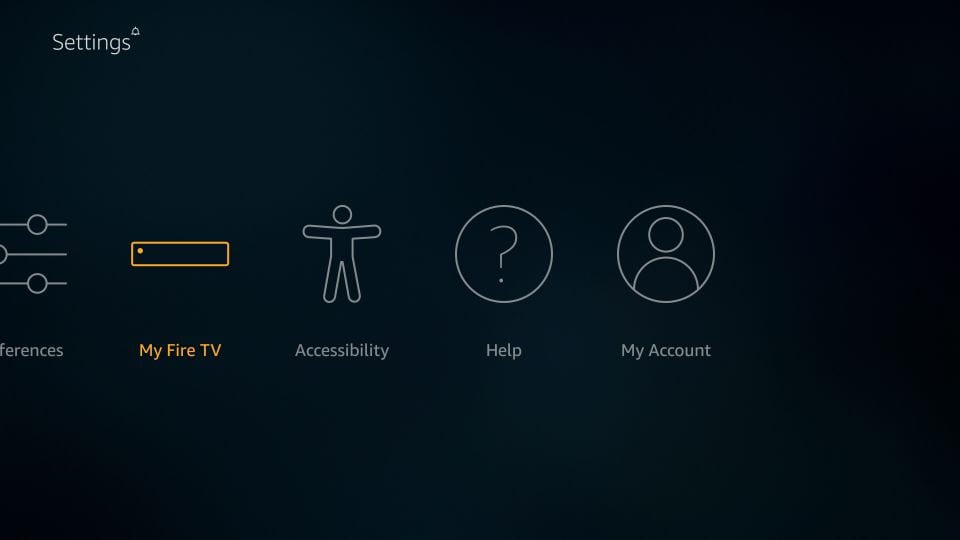
– In the Settings, choose the option My Fire TV
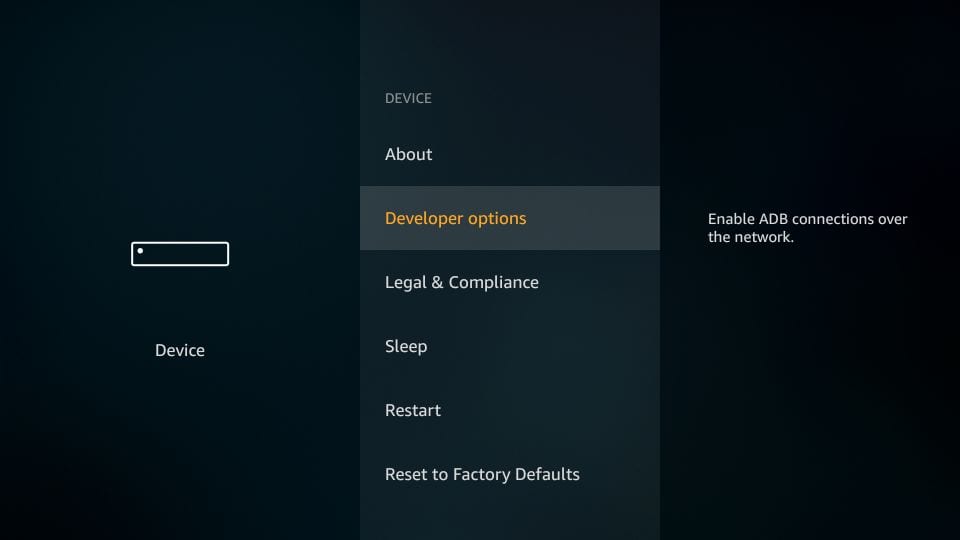
– When the next screen appears with a list of options, select Developer Options
– Next, check if Apps from Unknown Sources is turned ON or OFF
At this point, your FireStick is set up to allow the installation of IPTV Smarters and other third-party applications. Now, follow the steps below:
STEP 1: Begin by installing the Downloader app. This app is essential for sideloading IPTV Smarters onto your FireStick, as direct browser downloads are not supported.
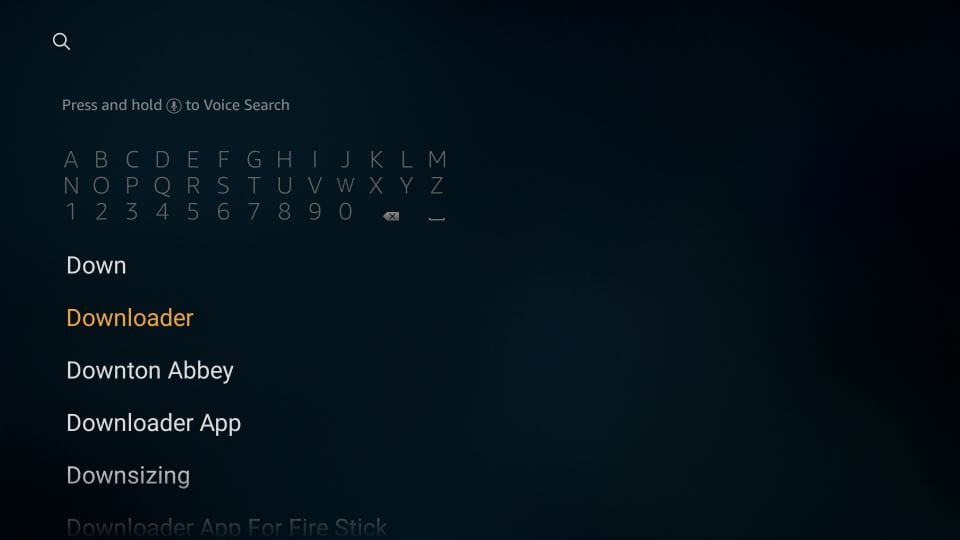
STEP 2: On your FireStick home screen, highlight the Search option. Type Downloader in the search bar. When the Downloader app appears in the search results, select it. Click on the Downloader icon on the next screen, then download and install the app.
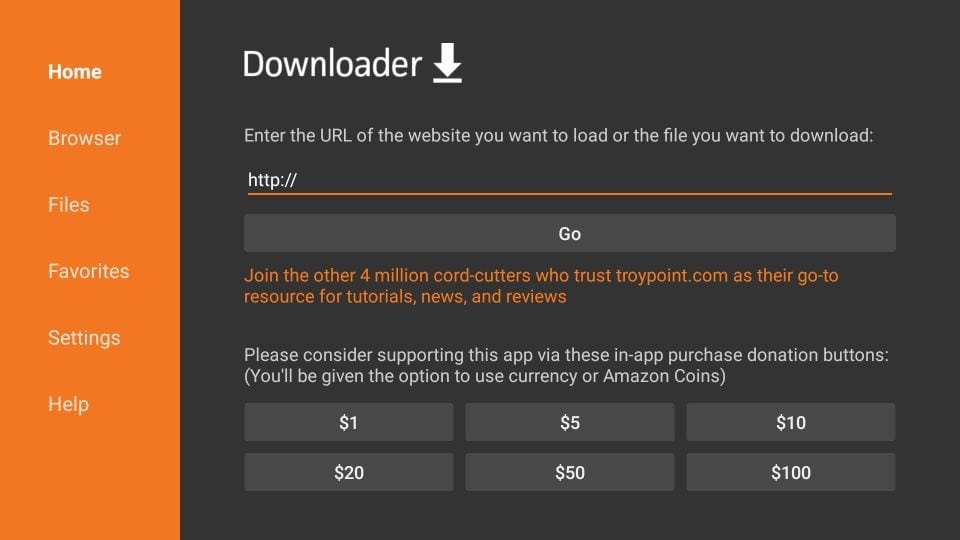
STEP 3: Now, open the Downloader app. The first time you launch it, you’ll see a few prompts—go ahead and dismiss them. Once you reach the main screen, ensure the Home tab is selected in the left-hand menu. Then, click on the URL text box on the right side where it says ‘http://’.
STEP 4:
Go ahead and enter the following path on this window: https://iptvsmarters.com/smarters.apk
Click GO
STEP 5:
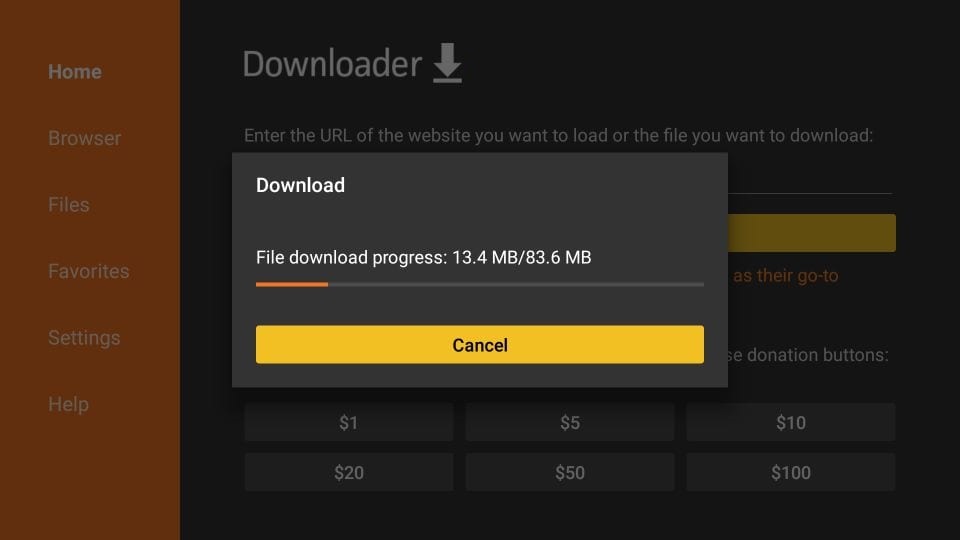
Wait a minute or two for IPTV Smarters to download onto your FireStick device.
STEP 6:
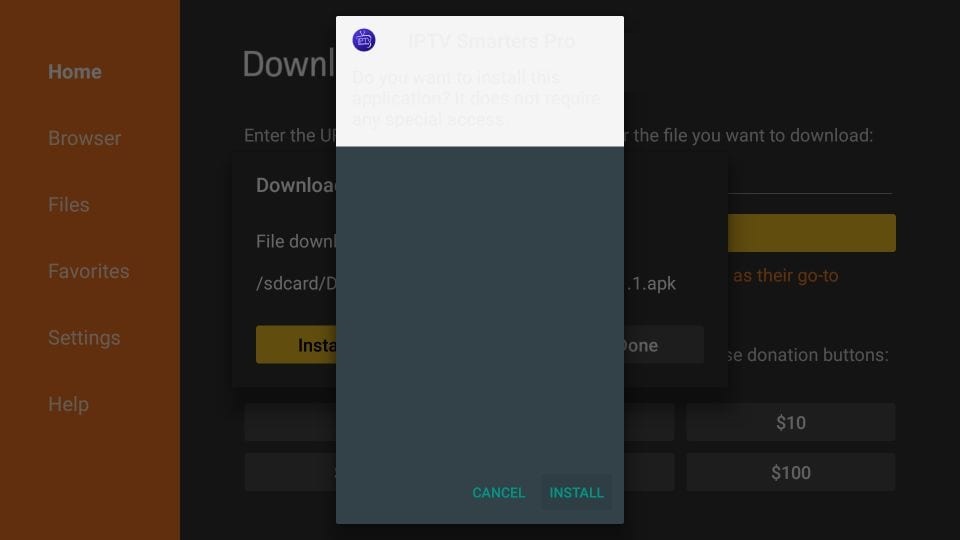
When the download has completed, the Downloader app will run the APK file and the installation will start
Click Install
Great! IPTV Smarters is now successfully installed on your FireStick.
When you launch the app for the first time, the Terms of Use screen will appear. Scroll down and click Accept to proceed.
You can add IPTV channels to IPTV Smarters in two ways:
Setup via Xtream Codes API.
Setup via Playlist.
Setup IPTV Smarters via Xtream Codes API
We recommend setup via Xtream Codes API because you will have the Catchup feature this way and also do not need to add any EPG URL (it will load automatically).
STEP 1:
Open the app once downloaded and click on “Add user” then click on “Login with Xtream Codes API“
STEP 2:
In this step, in the first box, select any name you want for example “1 Dollar IPTV”. On the second and third boxes, enter the “Username” and the “Password” and the server URL that we sent you via Whatsapp or Email or Chat
Now Click on “ADD USER” to proceed to the next section.
STEP 3:
Wait some seconds.
STEP 4:
Now click on the “Live TV” icon.
Setup IPTV Smarters via Playlist
If you don’t have an Xtream Code API, you can use an M3U URL and choose to Load Your Playlist or File URL.
STEP 1:
Open the app once downloaded and click on “Add user” then click on “Login with Playlist“.
STEP 2:
In this step, in the first box, select any name you want for example “IPTV Playlist”. Select “M3U URL” and enter the M3U URL that we sent you via Whatsapp or Email or Chat.